Billing & Subscription
This guide provides an overview of the Spend Shrink billing process, including how to start a subscription, view invoices, and manage your active subscription.
- Pricing
- Starting a Subscription
- Viewing Your Subscription
- Viewing Invoices
- Canceling Your Subscription
- Billing and Payment Security
- Billing Support
Pricing
Spend Shrink offers two subscription tiers:
- Free Tier: Access to basic features at no cost.
- Premium Tier: $99.99 per month per AWS account, which includes access to all advanced features.
Choose the plan that best suits your needs and upgrade anytime to unlock additional capabilities.
Starting a Subscription
If you are not currently subscribed:
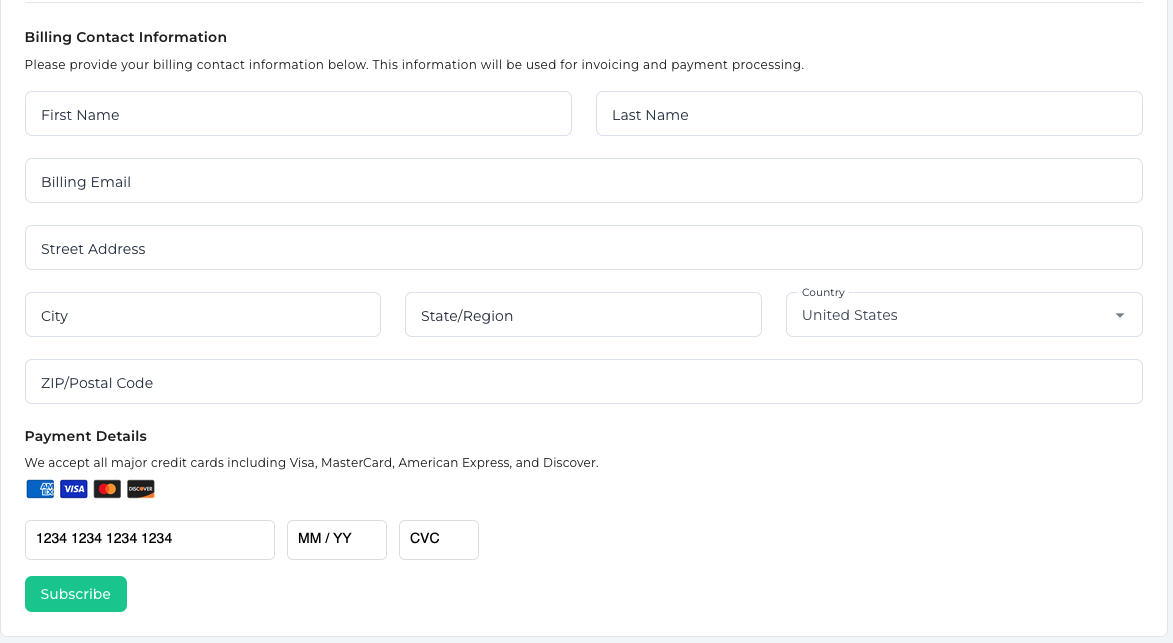
- Go to the Billing page.
- Fill out the subscription form with the required details:
- Billing information (e.g., name, email).
- Payment details (processed securely via Stripe).
- Click Start Subscription to activate your plan.
Once completed, your subscription will be active, and you will gain access to all Paid Tier features.
Viewing Your Subscription
If you already have an active subscription:
- Navigate to the Billing page.
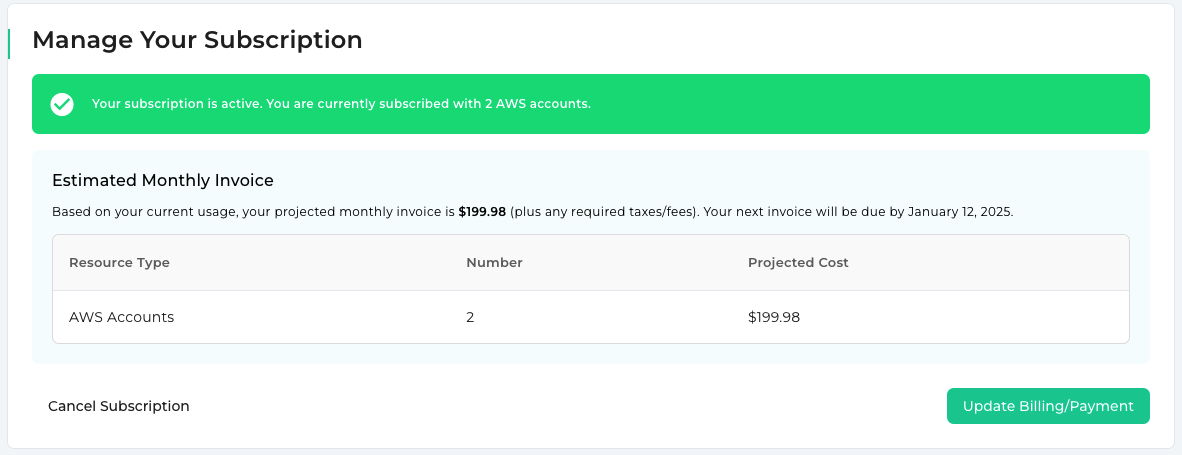
- The Subscription Details section will display:
- Active subscription confirmation (if subscription is Active).
- The projected invoice amount (excluding taxes).
Viewing Invoices
To access your past invoices:
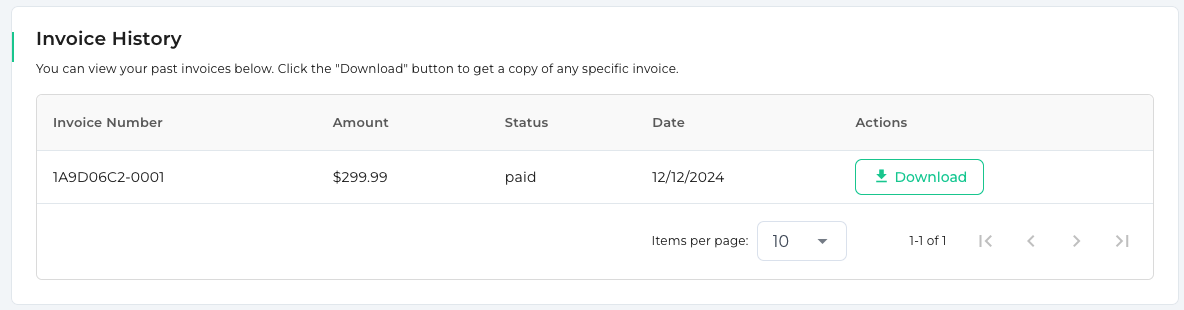
- On the Billing page, scroll to the Invoices section.
- If invoices exist, they will be listed with the following details:
- Invoice date.
- Amount billed.
- Payment status (Paid or Unpaid).
- Click on an invoice to download or view it.
Canceling Your Subscription
To cancel your active subscription:
- Go to the Billing page.
- In the Subscription Details section, click the Cancel Subscription button.
- Confirm the cancellation. Your subscription will remain active until the end of the current billing cycle.
Note: Once your subscription ends, your account will revert to the Free Tier.
Billing and Payment Security
Spend Shrink uses Stripe to securely process and store all payment information. Stripe ensures compliance with the highest security standards, so your data remains safe.
Key Security Features: - PCI-compliant payment processing. - Encrypted storage of sensitive data. - Secure connections for all billing-related activities.
Refunds
We do not currently offer refunds except for highly exceptional circumstances and edge cases at our sole discretion.
Billing Support
If you have issues with billing or subscription management:
- Contact Support: Email us at billing@spendshrink.com.