Managing Users
Spend Shrink allows you to add an unlimited number of users without any additional fees.
This guide explains how to add, modify, and remove users in Spend Shrink, as well as the differences between the Admin and Read-Only roles.
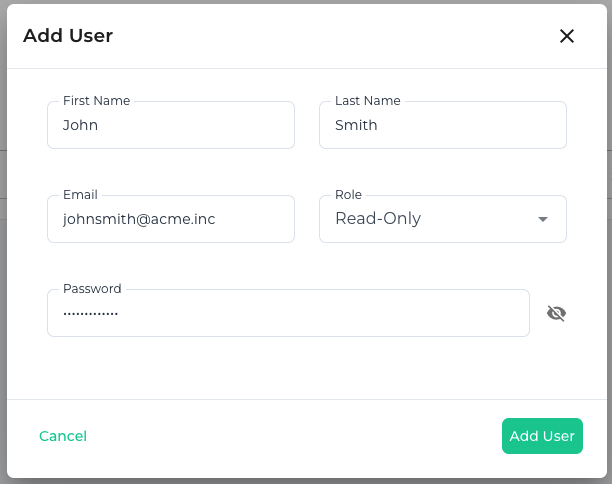
Adding a New User
To add a new user:
- Navigate to the User Management page in the Spend Shrink dashboard.
- Click on the Add User button.
- Fill in the user's details:
- Name: The full name of the user.
- Email: The user's email address.
- Role: Select the appropriate role for the user (Admin or Read-Only).
- Password: Set the default password for the user, you will have to provide them with this for security purposes (we don't email it to them).
- Click Save to finalize adding the user.
Modifying an Existing User
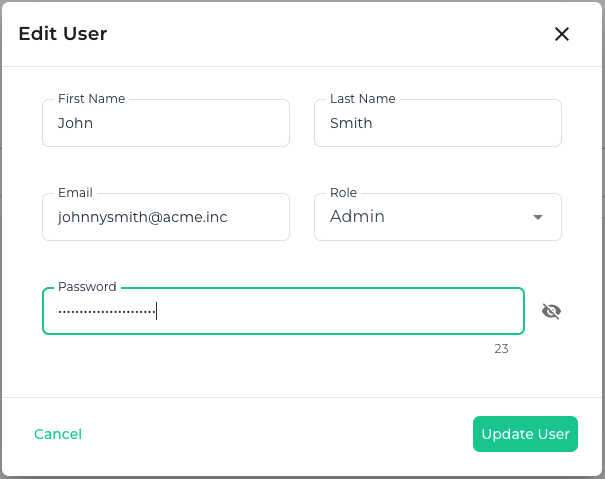
To modify a user’s details or role:
- Go to the User Management page.
- Locate the user you wish to modify from the user list.
- Click the Edit button next to their name.
- Update the required details:
- Change the Name, Email, Role, or Password.
- Click Save to apply the changes.
Note: If you only have 1 admin, you will not be able to change the role of that admin for your organization, you must have at-least 1 admin account.
Removing a User
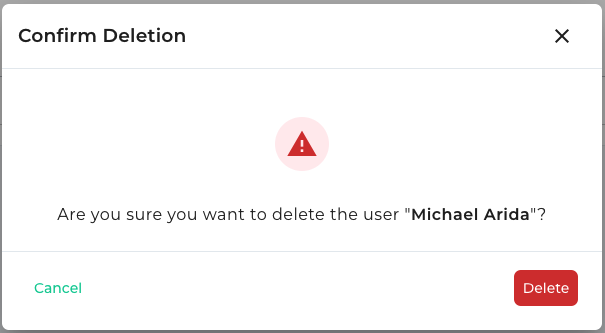
To remove a user:
- Access the User Management page.
- Find the user you wish to remove in the user list.
- Click the Delete button next to their name.
- Confirm the deletion when prompted.
Note: Removing a user is permanent and cannot be undone. You cannot delete the last admin for your organization, you must have at-least 1 admin account.
User Roles
Admin Role
- Full Access: Admins have complete control over all features in Spend Shrink.
- Permissions:
- Add, modify, and remove users.
- Add, modify, and remove AWS accounts.
- View and modify billing (subscribe or cancel subscription).
Read-Only Role
- Limited Access: Read-Only users can only view data and reports.
- Permissions:
- Access spend metrics (account overview pages).
- Access savings opportunities pages (if paid tier).
- Access home dashboard.
- Cannot make changes to AWS accounts, billing, or users.
- Can modify their own profile (for example their own password)
Need Help?
For further assistance, contact us at support@spendshrink.com.